
The pitch page for project managers — stand out from a stack of resumes.
PitchPage turns your project-management resume into a single shareable page that shows what a PDF flattens: projects delivered on time and on budget, the size of what you ran, the risks you headed off — as real numbers — plus a 60-second video where a hiring manager meets you first. Every PM resume claims "delivered cross-functional projects"; a pitch page proves it.
Why it works for project managers
- 01
Delivery, in numbers
On-time rate, budgets managed, scope delivered, cycle-time cut — the outcomes that prove you ship become metric cards and charts instead of the same tired "managed stakeholders" bullet everyone writes.
- 02
Scale and stakes, at a glance
A $4M program with 6 teams reads very differently from a two-person task list. PitchPage puts the size and complexity of what you've run front and center, so seniority is obvious in seconds.
- 03
Method and credentials
PMP, Scrum/CSM, PMI-ACP, the tools you run (Jira, Asana, MS Project) and how you actually work — Agile, waterfall, hybrid — in one scannable strip, plus a sponsor's testimonial that backs it up.
See a finished page
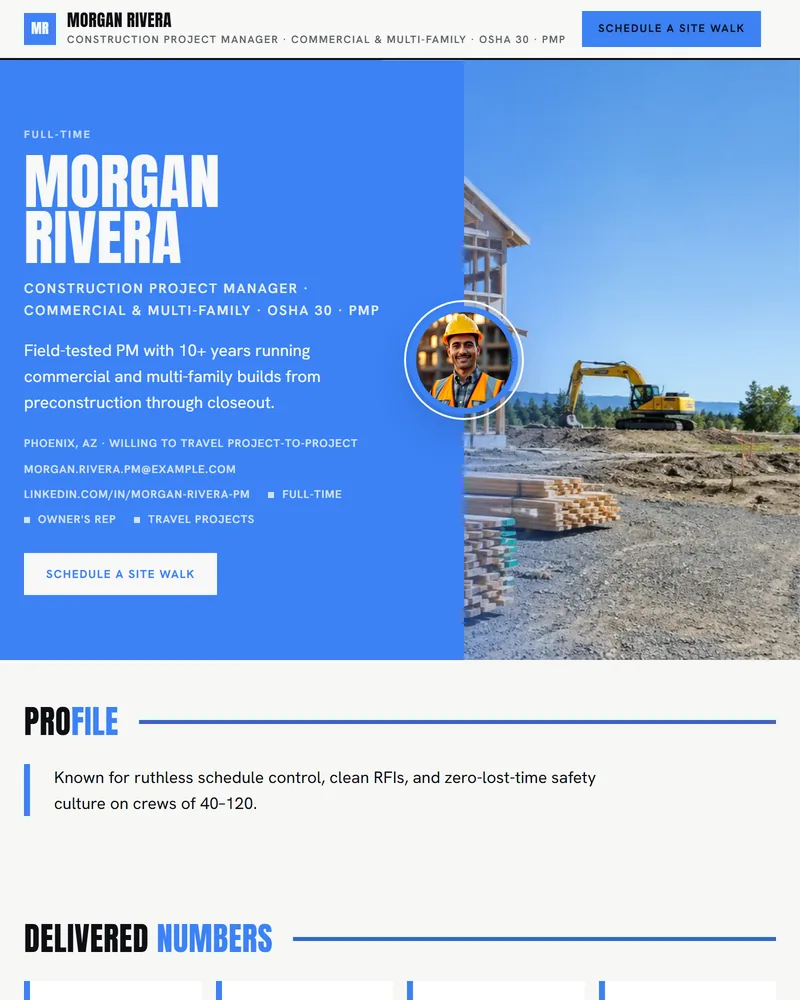
A page built this way
A finished PM pitch page leads with on-time/on-budget delivery and budget size, then a project timeline, certifications, and a sponsor testimonial — ending with a CTA.
See example pitch pagesQuestions project managers ask
- What should a project manager send instead of a resume?
- A pitch page — one link showing your on-time/on-budget delivery, the size of programs you've run, your PMP/Scrum credentials, and a short video. You keep the resume for the ATS; the pitch page is what makes a hiring manager see the operator behind the bullets. PitchPage builds it from your resume in minutes.
- My projects were under NDA — how do I show results?
- Lead with metrics, not confidential detail: "delivered a $4M platform migration two weeks early," "98% on-time across 30 projects," "cut delivery time 25%." The metric and chart sections are built for exactly this — impact as numbers, no protected specifics.
- How is this different from my LinkedIn?
- LinkedIn is a passive profile everyone has and few read closely. A pitch page is something you proactively send — focused on one role, leading with delivery numbers and a video, with a clear next step. It's the link you put in the application and the follow-up email.
- I'm moving from coordinator to PM — does this work?
- Yes. The AI shapes the page around what you have: projects you supported, process improvements, your certification progress, and a video introduction. It frames your trajectory toward PM rather than hiding a short title history. Empty sections simply don't appear.
- What does it cost?
- Building and editing your page is free. Publishing it as a live shareable link costs $9, one time — no subscription. Edit and republish whenever you close a new project.
Other roles

Build your project management pitch page
Free to build, $9 to publish. Upload your resume and watch the page build itself.